How to Avoid Promoting Products About to Stock Out
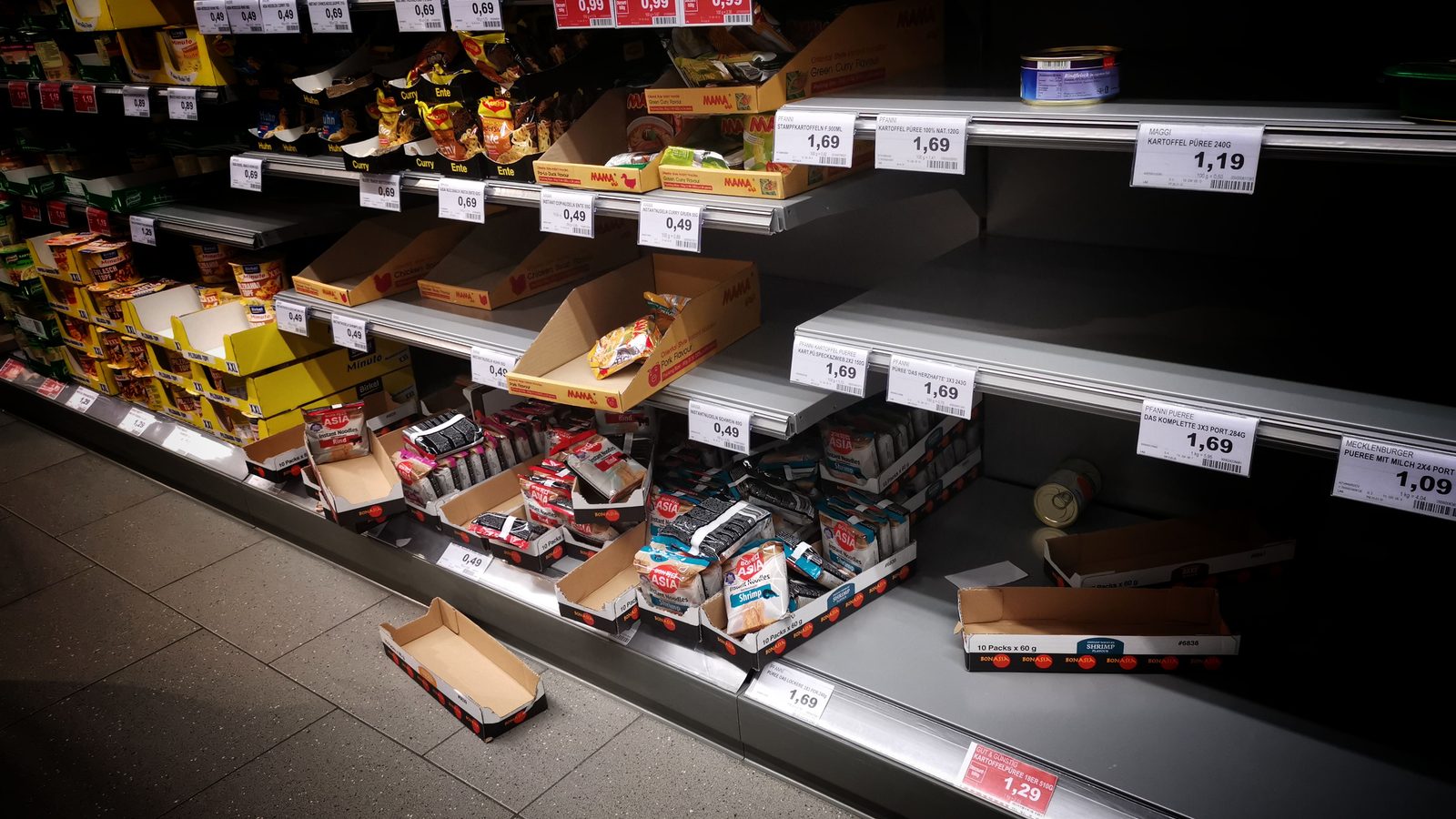
Don't pay to advertise products about to sell out. Learn how low-stock ad alerts work, when to pause spend on draining SKUs, and how to protect your ad budget.
There is nothing worse than a perfectly optimized ad sending eager buyers straight to a "sold out" button. You paid for the click, earned the intent, and then handed the customer to a competitor at the last step. Avoiding that is mostly a matter of watching stock and knowing when to stop.
You avoid promoting soon-out-of-stock products by setting low-stock ad alerts that flag or pause campaigns when a SKU's inventory drops below a threshold, so ad budget stops flowing to products you cannot fulfill. It is the specific tactic that keeps spend from chasing a product all the way into a stockout.
Key takeaways
- The last dollars before a stockout are the most wasted: spend keeps flowing while stock runs out, buying clicks that land on an empty page.
- Predict the run-out, don't react to it: watching stock against sell-through pace tells you a stockout is coming before it arrives.
- A low-stock ad alert is the mechanism: an automated flag at a set threshold that pauses or throttles spend.
- Freed budget should move, not vanish: spend pulled from a draining SKU belongs behind an in-stock winner.
How do you avoid promoting products about to stock out?
You avoid promoting soon-out-of-stock products by watching each SKU's stock against its sell-through and pausing or throttling its ads before it runs dry, so you stop paying for clicks that land on an unavailable product. The core move is anticipation: a product does not stock out without warning, and its remaining cover against its selling pace tells you the run-out is coming. Act on that early and the spend winds down before the shelf is bare.
The two skills are reading the warning and choosing the right response, easing off or stopping, based on how fast the product is draining.
Watching stock against sell-through to predict the run-out
A stockout is predictable from two numbers you already have: current stock and sell-through pace. A SKU with 300 units selling 60 a day has roughly five days of cover, and a campaign accelerating that pace shortens the runway further. Watching the two together, rather than stock alone, is what turns "we ran out" into "this will run out Thursday at the current rate." That foresight is the whole advantage. It lets you throttle or pause spend while there is still time to do it smoothly, instead of discovering the stockout when conversions suddenly drop and the clicks are already landing on an out-of-stock page. Reading pace, not just level, is what makes the alert early enough to matter.
Pausing vs. throttling: matching the action to how fast it's draining
Not every low-stock signal calls for a full stop. Match the response to the drawdown:
- Pause spend when a product is close to selling out and cannot absorb more demand, so you stop paying for clicks it cannot fulfill.
- Throttle spend when a product is drawing down but still has some cover, easing the budget so the remaining stock lasts and clears cleanly.
- Hold when cover is adequate and the pace is steady, since there is no reason to touch a healthy SKU.
The choice depends on speed and remaining cover: a fast-draining hero with two days of stock gets paused, while a steady seller dipping toward its threshold gets throttled. Matching the action to the drawdown avoids both the waste of over-spending and the lost sales of cutting a still-available product too early.
What is a low-stock ad alert?
A low-stock ad alert is an automated flag that fires when a promoted product's inventory falls below a set threshold, prompting you to pause or reduce its ad spend before the stockout, protecting budget and customer experience. It is the mechanism that turns the principle, do not advertise what you are about to run out of, into something that happens reliably rather than when someone remembers to check. For a catalog of any size, that automation is the difference between catching every draining SKU and catching the few you happened to look at.
Two things make an alert useful: where you set the threshold, and whether the response is automatic.
Setting the threshold (units, days-of-cover, or sell-through pace)
The threshold is the stock level that triggers the alert, and it can be expressed three ways. An absolute unit count is simplest but blunt, since 100 units means very different things for a fast and a slow SKU. Days of cover is better, because it accounts for selling pace: an alert at five days of cover adapts to how quickly each product moves. Sell-through pace is the sharpest, flagging a product accelerating toward a stockout even before its unit count looks low. Match the threshold to the SKU: fast movers need an earlier trigger because a campaign can drain them in hours, while slow movers can run closer to empty before the alert is worth acting on. Here is how the common threshold signals map to an ad action:
- Days of cover. reading: Comfortably above target cover; recommended ad action: Hold or scale
- Days of cover. reading: Approaching the low-stock line; recommended ad action: Throttle spend
- Units on hand. reading: Below the minimum to fulfill campaign demand; recommended ad action: Pause spend
- Sell-through pace. reading: Accelerating toward a run-out; recommended ad action: Throttle, then pause

The right threshold buys enough lead time to wind spend down smoothly rather than slamming to a stop after the stockout.
Automating the pause so it happens before, not after
An alert that only notifies a busy person is half a solution, because the pause still waits on someone acting. The stronger version automates the response: when a SKU crosses its threshold, its ads throttle or pause without a manual step, and re-open when stock recovers. Automation matters most exactly when manual checking fails, during a high-volume campaign or a weekend, when a fast SKU can sell out between check-ins. Removing the human delay means the spend stops at the threshold, not hours later once someone notices the conversions fell. This is the tactical piece of the broader spend-alignment workflow, which sets the wider loop this alert plugs into.
How does this protect your ad budget?
It protects your budget by cutting spend on products heading for a stockout and redirecting it to in-stock alternatives, so the same money keeps driving fulfillable sales instead of funding dead-end clicks. The protection is twofold: you stop the waste on the draining SKU, and you recover that budget for a product that can still convert. Both halves matter, since pausing spend without redeploying it just shrinks the campaign.
When an alert pauses a draining product, the budget it was using should not simply disappear from the campaign; it should move to an in-stock, healthy-margin product that can absorb more demand. That reallocation is what keeps total performance up while you protect the customer experience on the low-stock SKU. Choosing where the freed budget goes is a product-selection decision, covered in which products to put marketing spend behind. Conative AI supports low-stock ad alerts by forecasting each SKU's drawdown and flagging over/understock issues before they hit your bottom line. Spend pauses before the sellout and shifts to available winners, instead of buying clicks you cannot fulfill. Every flag shows the reasoning behind it, and the decision to pause stays with your team. See how the alerts work on the marketing solution page, or start a free trial.
Frequently asked questions
Should you pause the ad or change where it points instead?
Changing the destination is often the better first move. If the campaign is working, swapping the featured product for an in-stock alternative, or pointing the ad at the category rather than the draining SKU, keeps the demand and drops the fulfillment risk. Pause the spend when there is no comparable product to send that traffic to.
What should you do about a product on preorder or backorder?
Keep advertising only if the promise is explicit and the date is real. A preorder with a stated ship date can convert well, because the customer accepts the wait up front. What loses money is an ad that reads as in-stock and lands on a delayed product, since the refund requests cost more than the paused spend would have.
Does pausing a campaign reset the ad platform's learning?
It can, which is why a throttle is usually safer than a hard stop. Most platforms need a steady flow of conversions to stay out of a learning phase, and a full pause followed by a restart can cost that momentum. Reducing budget, or shifting it to another product inside the same campaign, protects the learning while still cutting spend on the draining SKU.
What if the restock date is known and close?
Hold the spend down rather than off, if the gap is short and the restock is confirmed. A day or two of thin cover with stock landing Friday is a throttle, not a pause, since re-opening a paused campaign costs momentum. A confirmed date changes the decision. An unconfirmed one should be treated as a stockout.
Does this hurt my campaign's performance data?
No, it generally improves it. Pausing spend on a soon-out-of-stock SKU removes clicks that would not convert, so the remaining spend shows a truer, often higher, return. It also prevents the sudden conversion drop a stockout causes mid-campaign, which distorts performance data. Cleaner spend on fulfillable products gives you more reliable numbers to optimize against, not less.
How do you brief a campaign so it does not feature a draining product?
Give the team the stock picture at brief time, not after the assets are built. A product with four weeks of cover should not be the hero of a six-week campaign, and that is a briefing decision rather than a pausing one. A short list of products cleared for promotion, refreshed each cycle, prevents most of the problem before any budget is committed. The wider loop is covered in aligning ad spend with inventory.